


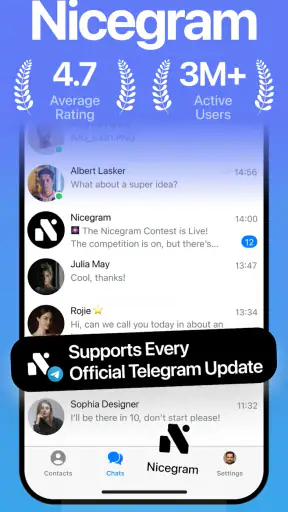
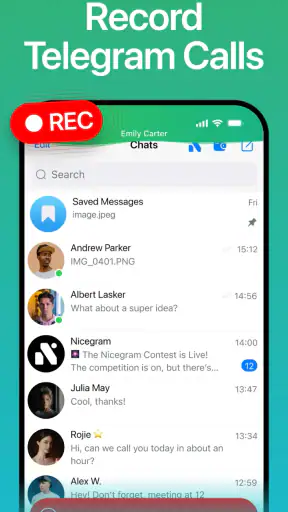
I spent time with Nicegram as a more feature-focused way to use Telegram, and my first impression was clear: this is not trying to replace messaging with a separate social network. It keeps the familiar Telegram foundation while adding tools aimed at people who want more control, more than one account, and help from AI inside their messaging routine. That makes it interesting for heavy Telegram users, but less compelling if you only send occasional messages and prefer the simplest possible interface.
Nicegram is a free social app from Appvillis, available for devices running Android 7.0 or later. It carries a Mature 17+ content rating, so it is not positioned as a general-purpose family messenger. The app was released on November 25, 2021, and its current version is 1.57.0. Its audience is already substantial, with more than 5 million installs and an average score of 4.5 from roughly 70 thousand ratings. Those figures do not prove that it will suit everyone, but they do suggest that the idea has found a real audience among Telegram users who want something beyond the standard experience.
How Nicegram changes the everyday Telegram routine
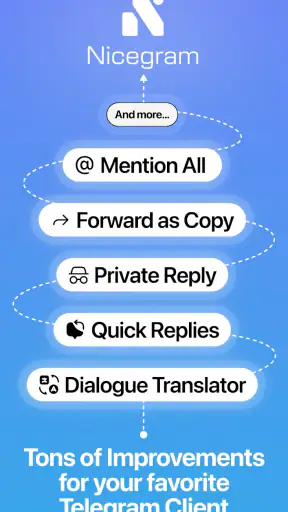
The easiest way to understand the app is to think of it as an enhanced Telegram client rather than a completely separate messenger. You still approach conversations, channels, groups, and contacts through a Telegram-centered workflow, but the surrounding tools are designed to make busy accounts easier to manage. The appeal is strongest when messaging is not just a way to chat with a few friends, but also a place for communities, work discussions, saved information, and multiple identities.
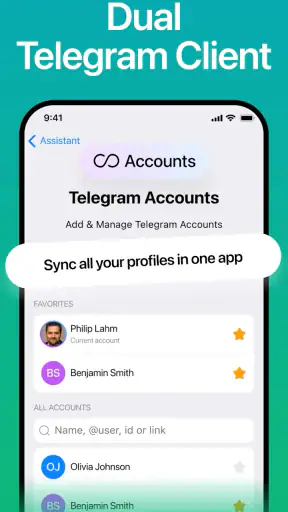
In my experience, the multiple-account angle is one of the most practical reasons to try it. Someone who keeps personal and work conversations separate can avoid constantly signing out or mixing notifications from unrelated parts of life. The same applies to people who manage a public-facing account alongside a private one. The important benefit is not simply having extra accounts available; it is being able to move between different messaging contexts without treating every conversation as if it belongs to the same part of your day.
A realistic example is a freelancer who uses Telegram for clients, family, and several professional communities. In a standard setup, those conversations can become one long stream of alerts and unread messages. Nicegram’s account-oriented approach can make that separation more manageable. I would still recommend setting notification habits carefully, because adding accounts can solve organization problems while also creating more places to check. Convenience depends on whether you use the separation deliberately or merely accumulate more inboxes.
AI tools that are useful when they stay in the background
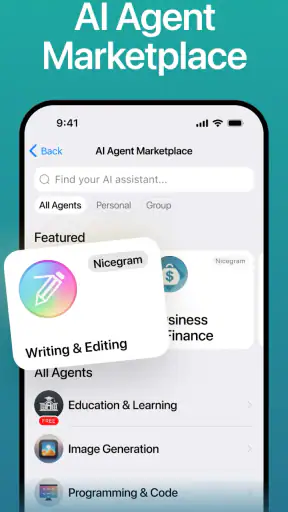
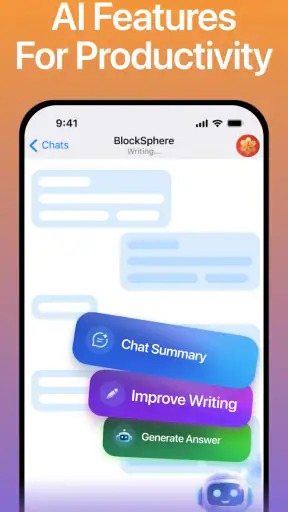
The AI side is the other major reason this app stands out. I see it as most useful for reducing small amounts of friction inside messaging: helping you process information, work with text, or approach a conversation when you do not want to leave the app and open a separate assistant. That can be valuable when a Telegram channel contains a lot to read or when you need help turning a rough thought into a clearer message.
There is a trade-off, though. AI features are helpful only when they are easy to understand and remain under your control. I would not treat an AI assistant as an authority for sensitive decisions, private work, or anything that requires perfect accuracy. A good workflow is to use it for first drafts, summaries, or brainstorming, then check the result yourself before sharing it. That approach lets the feature save time without handing over responsibility for what you send.
One of the less obvious advantages is context switching. A separate AI app may require copying text, changing applications, waiting for the other interface, and then bringing the result back into Telegram. An integrated tool can make that process feel more natural. The downside is that an integrated experience can also encourage you to use AI when a direct conversation would be clearer. I found the feature most worthwhile as an occasional helper, not as a replacement for thinking or communicating normally.
Security is part of the appeal, but not a magic shield
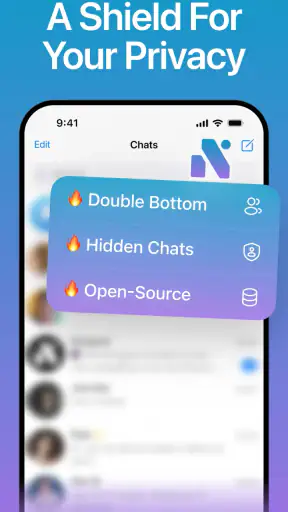
Nicegram also presents itself around security, which is a sensible focus for an app built around personal conversations and community activity. I appreciate that security is treated as part of the product’s identity rather than an afterthought. Still, I would be careful about interpreting that promise too broadly. An enhanced client does not automatically make every message, account, device, or group completely safe.
My practical advice is to keep the usual habits that matter in any messenger: protect the device, review active sessions, be cautious with unfamiliar files and accounts, and avoid assuming that a security-oriented feature removes the need for judgment. If you are handling confidential business information, you should compare the app’s security approach with the specific requirements of your work instead of relying on a general label.
This is also where the Mature 17+ rating matters. It signals that the app is intended for adults, and the Telegram environment itself can expose users to public groups, channels, and conversations that are not suitable for younger audiences. Parents looking for a controlled communication tool should not choose Nicegram simply because it is free or because it includes extra safeguards. The wider social environment remains an important part of the decision.
Free access and what paid value means here
The app itself is free to install, which makes trying the core experience relatively straightforward. There are in-app purchases ranging from $1.99 to $89.99 per item, so the free entry point should not be confused with every capability being permanently included at no cost. The practical question is whether the tools you personally care about are available in the free experience or whether they are connected to a purchase or subscription-style upgrade inside the app.
I would approach the paid options with a specific goal rather than buying simply because the app offers more features. If multiple accounts and the basic Telegram workflow already solve your problem, paying may not improve your daily routine much. If AI assistance or advanced controls remove a repeated inconvenience, the value can be easier to justify. Because individual purchase prices vary considerably, I would check the exact offer shown on your device before deciding and compare it with how often you expect to use that feature.
That makes Nicegram’s value fairly personal. The free version is attractive for exploration and for users who want an alternative Telegram client without an upfront charge. Paid value depends on whether the extra tools save enough time or reduce enough frustration to matter. I would not recommend treating the highest-priced option as automatically better; a feature only has value if it changes something you actually do.
Where it feels better than the usual alternatives
Compared with the regular Telegram app, Nicegram is aimed at users who want a more customized and tool-rich experience. The standard client is usually the safer choice for someone who wants the most familiar Telegram workflow and does not need extra layers around it. Nicegram makes more sense when the standard setup feels too limited, especially if account separation, AI assistance, or additional control is part of your daily routine.
Compared with using a separate AI assistant beside Telegram, Nicegram can reduce the number of steps involved in working with messages. That convenience is its strongest argument in this comparison. A standalone assistant may be preferable if you want a dedicated writing or research environment, more deliberate control over what you share, or a clearer boundary between conversations and AI work.
Compared with other social and messaging apps, Nicegram is not the best choice for someone trying to leave Telegram behind. Its usefulness depends on Telegram being central to your communication. If your friends, colleagues, or communities use another platform, installing this app will not solve the basic problem of being somewhere your contacts are not. The app adds value to a Telegram-centered life; it does not create a new network that automatically replaces one.
Small workflow choices make a large difference
The first tip I would give a new user is to decide what each account is for before adding more of them. Personal, work, and public-community use are sensible boundaries. Creating accounts without a clear role can make the interface busier instead of more organized. I would also give each account its own notification expectations, so a work discussion does not interrupt personal time simply because both accounts are active.
My second tip is to use AI as a preparation layer. For example, after reading a long community discussion, you might use it to identify the points that need your attention, then return to the original messages before acting. This is safer and more useful than forwarding an AI-generated answer without checking the surrounding context. In a fast-moving group, missing one qualification can change the meaning of an entire conversation.
A third useful habit is to treat security settings as something to review during setup, not something to remember only after a problem. Check which account is active before sending a sensitive message, especially when switching between personal and professional identities. That sounds basic, but account separation creates its own risk: the same feature that prevents conversations from mixing can make it easier to send from the wrong account if you rush.
Finally, I would avoid judging the app after only a few minutes. Its benefits appear when you repeat the same messaging tasks across several days: moving between accounts, handling busy channels, and deciding when AI genuinely saves time. If your Telegram use is light, those advantages may never become important enough to offset the additional complexity.
Who should use it, and who should skip it
I think Nicegram is a strong candidate for people who live in Telegram: community moderators, freelancers, small teams, creators, and users who maintain separate personal and professional identities. It is also worth considering if you often read large amounts of Telegram content and would welcome assistance with organizing or processing text without leaving the messaging environment.
It is less suitable for someone who wants a minimal messenger with no extra decisions. If you use Telegram only for a handful of chats, the standard app may be clearer and more predictable. I would also hesitate to recommend it to younger users because of the Mature 17+ rating and the open nature of Telegram communities. People with strict workplace or privacy requirements should evaluate the security and account-handling details against their organization’s rules before moving important conversations into it.
Another group that may want to skip it is anyone who dislikes AI appearing in communication tools. Even when the feature is optional in practice, its presence changes the character of the app. If you prefer a focused messenger with a clean separation between chatting and assistant tools, the regular Telegram experience or a dedicated secure messenger may be a better fit.
My verdict after using the full concept
Nicegram is most convincing when I view it as a productivity-minded layer for serious Telegram users. Its free installation lowers the barrier to testing it, while the combination of AI tools, multiple accounts, and a security-focused approach gives it a clear identity. The app has enough practical ambition to be more than a cosmetic alternative, particularly for people whose Telegram inbox is part of their work or community life.
At the same time, the extra capability is not automatically an advantage. More accounts require better attention, AI requires checking, and paid options should be judged against a real recurring problem rather than curiosity alone. The standard Telegram client remains the better choice for users who value simplicity, while a dedicated AI tool or another messenger may be preferable when specialization matters more than integration.
My recommendation is to start with the free experience and test it against one concrete need, such as separating work from personal conversations or reducing the effort of processing busy channels. If that need appears repeatedly, Nicegram can deliver meaningful value. If you cannot identify a daily task it improves, I would skip the upgrade and probably stay with the usual Telegram app. In short, this is a worthwhile choice for demanding Telegram users, but not a necessary download for everyone.
My bottom line: choose Nicegram when you want Telegram to do more and are willing to manage the added complexity; choose a simpler alternative when your priority is only reliable, familiar messaging.


